
Video Player All Format
InShot Inc.Video Players & Editors
4.834.72K Reviews
- Version
- 2.9.2
- Installs
- 100.00M
- Age Rating
- Everyone
Screenshots

Our Review of Video Player All Format
 Analysis by Appyee
My usual reason for trying a separate video player is simple: a clip arrives in an unfamiliar format, or a phone’s built-in app makes browsing a mixed folder feel like work. I want to open a file, check that the picture and sound behave, and get back to what I was doing without turning playback into a project. Video Player All Format is aimed at that everyday gap, with video playback at its core and extras for audio, subtitles, downloads, and casting.
That combination makes it most appealing to people who keep different kinds of media on their phone and would rather use one familiar player than switch apps. It is free to install, developed by InShot Inc., and sits in the video player and editing category. Its average rating is 4.8 from around 1.9 million ratings, with more than 100 million installs. The content rating is Everyone, and optional in-app purchases range from $0.99 to $9.99 per item.
From finding a file to settling in to watch
I find the most useful way to judge a video player is to follow a file through the whole routine: locating it, checking playback, adjusting anything that gets in the way, and deciding whether to keep watching on the phone or move to another screen. That makes it easier to see where this app fits in my day and where a simpler player might do just as well.
A library that is ready for ordinary use
Right off the bat, downloading the app was a breeze. It's available for both Android and iOS, so no worries about compatibility. As soon as I opened it, I was greeted with a clean and intuitive interface, which is always a good start. The app didn't bombard me with ads or unnecessary pop-ups, which is a major plus in my book.
For a realistic use case, picture getting a video in a chat, saving a few travel clips, and later wanting to watch both without hunting through separate folders. A player that can bring local videos into one place is useful here: I can browse what is on the device, choose a file, and start playback rather than first converting it or looking for a desktop program. The practical benefit is less about a flashy feature and more about having a dependable next step when the default player refuses a file.
Finding the right file before pressing play
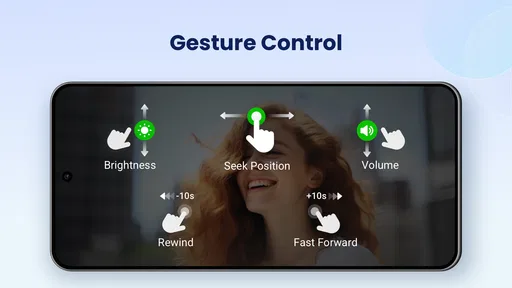
One of the things I absolutely love about Video Player All Format is its sleek design. The developers clearly focused on making the user experience as smooth as possible. Navigating through my video library was straightforward, and I could easily sort and manage my files. The controls are intuitive, and I didn’t have to fumble around to figure out how to play, pause, or skip. Everything was right where I expected it to be.
That straightforward approach matters when a device holds a mixture of short clips, downloaded media, and longer recordings. I would use the library as the first checkpoint: locate the intended file, confirm it is the correct version, then play it before deciding whether to share or cast it. If a folder contains several similarly named clips, it is worth checking the video itself before sending anything onward; a player helps with review, but it does not replace sensible file organization.
Compared with relying only on a phone’s default gallery or video app, the advantage is having a dedicated place to try files that the basic option may handle less comfortably. Compared with desktop media software, the trade-off is convenience: this is for watching on a phone, not for a detailed editing or file-conversion workflow. If you only watch common clips and your built-in player already does everything you need, installing another app may add little.
Playback across a mixed collection
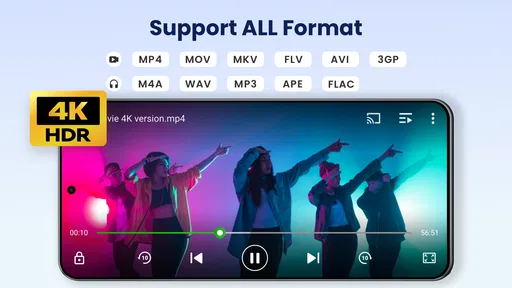
This app is a powerhouse when it comes to format support. It handled everything I threw at it, from the standard MP4s to more complex MKVs and AVIs. I also tested some high-definition files, and the playback was buttery smooth, with no lag or stuttering. This is crucial for anyone who loves binge-watching shows or movies on their phone.
The useful tip with any broad-format player is to treat compatibility as a practical test, not a promise that every file will behave identically. When a video will not open, or its sound and picture do not seem right, try another file and check whether the problem follows one particular item. That quick comparison can tell you whether you are facing an unusual file or a broader playback issue, instead of wasting time changing settings at random.
The app’s current version is 2.5.0.4, and it requires Android 7.0 or later on Android devices. I would check the requirements on the relevant store before installing, especially if the phone is older or short on storage. High-resolution video can also demand more from a device than a small clip, so smooth playback on one file should not be taken as a guarantee for every large or demanding video.
Making sound and subtitles fit the video
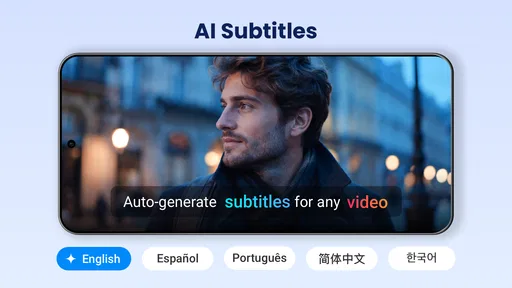
Now, let’s talk about some of the extra goodies this app offers. It comes with a built-in equalizer that allows you to tweak the audio to your liking. Whether you're a bass head or a treble enthusiast, there's something for everyone. Another standout feature is the subtitle support. You can easily load subtitle files and even adjust the timing if things are a bit off. It’s these small touches that make the app feel comprehensive and user-friendly.
In practice, subtitles and sound controls are most helpful after playback has already started. If dialogue feels difficult to follow, I would first try the equalizer rather than immediately deciding that the video itself is poor quality. For subtitles that appear early or late, timing adjustment can make a file watchable without editing the subtitle externally. The trade-off is that manually finding and loading a separate subtitle file adds a step; if you expect captions to appear automatically for every video, this workflow may feel less convenient.
These tools also suit different viewing situations. On a commute, subtitles can make a quiet scene easier to follow without raising the volume. At home, audio adjustments may help when a video’s dialogue and background sound do not feel balanced on phone speakers. They are useful refinements, not a replacement for proper headphones or a carefully mixed source file.
Choosing a look without overcomplicating playback
If you're someone who loves customization, you're in luck. The app offers various themes and color schemes, so you can personalize the look to match your style. I spent a good amount of time playing around with these settings, and it was refreshing to see an app that lets me make it my own.
I see appearance settings as a small comfort rather than a reason to switch players. They can make the interface feel more pleasant during repeated use, but I would set them once and then focus on the library and playback controls. If you prefer an app that stays visually plain and gets out of the way, the customization is optional; there is no need to spend time tuning the interface before watching a single clip.
Handing playback off to another screen
The workflow does not have to end on the phone. Chromecast support gives the app a route from personal viewing to a larger screen, which can be handy when a friend sends a clip or when I want to watch a saved video from the sofa. The handoff is a separate step from simply opening a file, so I would first make sure the video plays locally and then choose casting when a compatible setup is ready. That order makes it easier to tell whether a problem is with the file or with the move to the television.
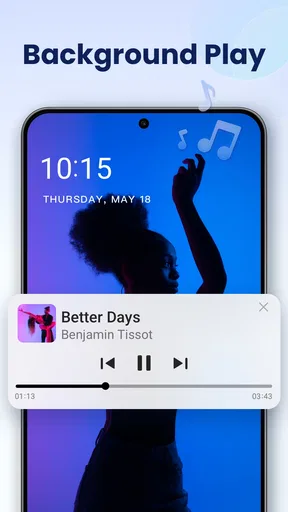
The same distinction matters for the downloader and MP3 player functions. They broaden the app beyond video playback, but they serve different moments: downloading is about bringing media into a later viewing workflow, while the audio player is for listening rather than watching. I would not treat either as a substitute for a dedicated music library or a full media manager. If your main goal is organizing a large collection across devices, a specialist service may be a better fit.
Where the convenience has limits
No one likes an app that drains their battery faster than you can say "low power mode." Thankfully, this isn’t the case here. Even after watching a couple of hours of video, my phone's battery didn’t take a significant hit. The app is optimized well, ensuring that you get the best performance without sacrificing battery life.
For longer sessions, I would still think about the usual phone constraints: screen brightness, signal use when streaming or downloading, and the size and resolution of the video can all affect the experience. A player cannot make a weak battery last indefinitely, and casting shifts the viewing setup rather than removing every source of drain. If battery life is already a concern, lowering brightness and choosing a suitable playback setup are sensible habits whichever player you use.
There is also a difference between a player and an editor. Despite sitting in a category that includes video editing apps, the reason to choose this one is watching and managing playback, not building a polished social clip with a timeline, transitions, and detailed export controls. I would skip it if editing is the main task, or if I want a streaming catalog rather than files stored on my device. A dedicated editor or streaming app is more direct for those needs.
Who will get the most from it
After spending quality time with Video Player All Format, I can confidently say it's a solid choice for anyone in need of a reliable video player. The combination of format versatility, ease of use, and thoughtful features makes it a standout option in a crowded market. Whether you're a casual viewer or a serious cinephile, this app has something to offer.
I would recommend it most to someone who regularly receives or keeps videos in different formats, wants local playback controls that are easy to find, or sometimes needs subtitles and casting. It is also a sensible option for a household where the same phone handles quick clips and longer viewing. Someone who only watches content through one streaming service, or already has a default player that opens every file they use, may be happier keeping the simpler setup.
For an everyday decision, the key question is not whether you need every extra feature. Ask whether the app solves a recurring annoyance: an unsupported file, a subtitle that needs timing help, or the desire to move phone playback to a Chromecast screen. If one of those comes up often, the additional controls can earn their place. If not, the free download is easy to pass over without missing an essential part of phone use.
A practical choice, with the right expectations
The app is free to download, while optional purchases are available in the app. That makes it easy to try the basic playback workflow before deciding whether any paid option matters to you. I would approach those purchases as optional rather than assuming they are necessary for ordinary viewing, and check the in-app details before buying if a particular extra is important.
If you’re in the market for a new video player, I’d recommend giving this one a shot. You can easily find it on both the Google Play Store and the Apple App Store. Happy viewing!
Privacy and Permissions
See what permissions an app requests and how it handles your data.
- Photos/Media/Files
- read the contents of your USB storage, modify or delete the contents of your USB storage
- Storage
- read the contents of your USB storage, modify or delete the contents of your USB storage
- Wi-Fi connection information
- view Wi-Fi connections
- Other
- view network connections, allow Wi-Fi Multicast reception, full network access, draw over other apps, control vibration, prevent device from sleeping, read Google service configuration
Verdict
Strengths of Video Player All Format
- Supports multiple video formats seamlessly.
- User-friendly interface with easy navigation.
- High-quality video playback without lag.
- Offers subtitle support for various languages.
- Customizable playback speed and themes.
Limitations of Video Player All Format
- Contains ads that can be intrusive.
- Limited advanced editing features.
- Some features locked behind paywall.
- Occasional crashes on older devices.
- Large file size may take up storage.
Other Releases by InShot Inc.
View All
All Video Downloader
Video Players & Editors4.7

Video Downloader
Video Players & Editors4.7

Music Player & MP3 Player
Music & Audio4.7

Photo Editor - Polish
Photography4.8
Similar Picks in This Category
View All
Google TV
Google LLC3.9

iTunes
Apple4.7

YouTube
Google LLC3.8

MX Player
Amazon Mobile LLC4.2

CapCut - Video Editor
Bytedance Pte. Ltd.3.5

PLAYit-All in One Video Player
PLAYIT TECHNOLOGY PTE. LTD.4.5
Frequently Asked Questions
What video formats does Video Player All Format support?
Video Player All Format supports a wide range of video formats including MP4, AVI, MKV, MOV, and FLV, among others. This versatility ensures that users can play almost any video file without needing to convert it to a different format, making it a convenient choice for diverse media collections.
Does Video Player All Format offer subtitle support?
Yes, Video Player All Format provides robust subtitle support. Users can load external subtitle files in formats such as SRT, SUB, and ASS. The app also allows for customization of subtitle appearance, including font size, color, and sync adjustments, enhancing the viewing experience.
Is Video Player All Format free to use, and are there any in-app purchases?
Video Player All Format offers a free version with essential features. However, to access premium features such as ad-free viewing and advanced playback options, users may need to make in-app purchases. This freemium model allows users to test the app's core functionality before deciding to invest further.
Can I use Video Player All Format to stream videos from cloud services?
Yes, Video Player All Format integrates with popular cloud storage services like Google Drive and Dropbox. Users can stream videos directly from their cloud accounts, providing flexibility and saving local storage space. This feature is particularly useful for those with extensive video libraries stored online.
What unique features does Video Player All Format offer?
Video Player All Format includes unique features such as video playback speed control, a built-in equalizer for audio enhancement, and a night mode for comfortable viewing in low-light environments. These features contribute to a personalized and optimized viewing experience, catering to various user preferences.
